Clockify hours into an invoice.
Paste time entries, mark billable work and let the spreadsheet calculate hours, subtotal, VAT and total due.
Opens in Excel · Upload it to Google Drive to use it in Google Sheets · Example data included
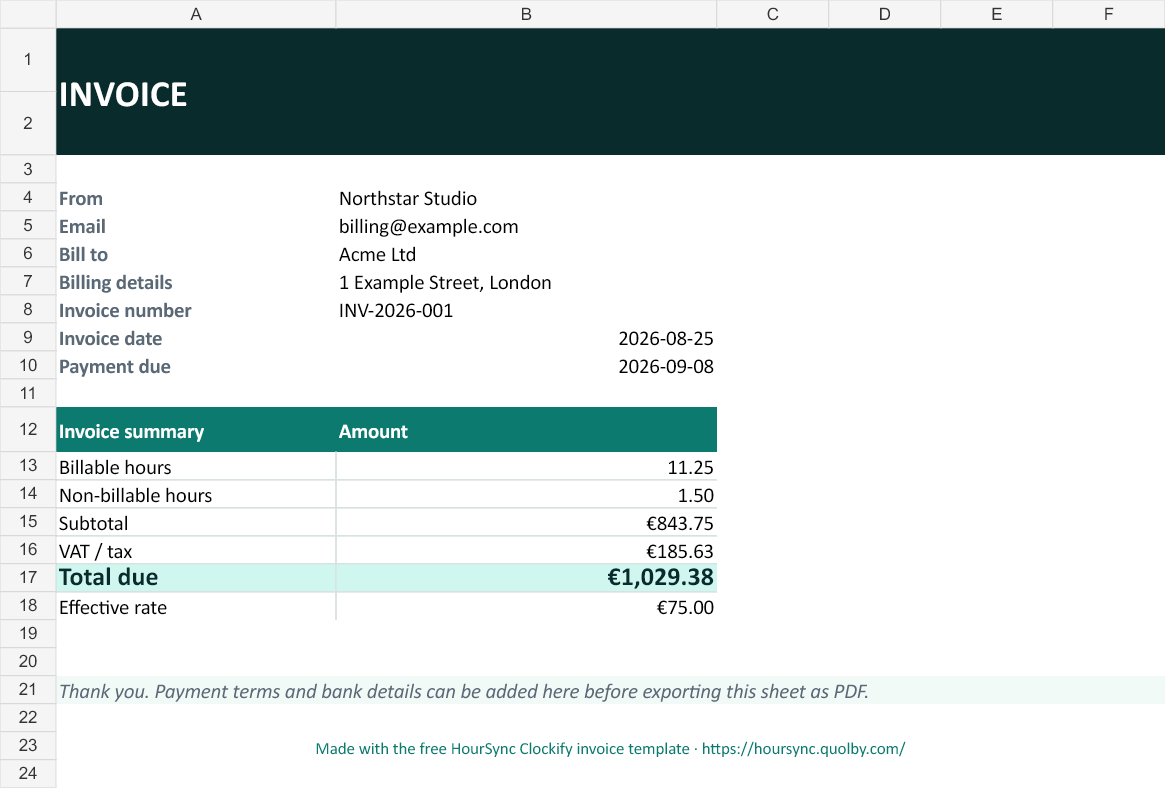
From exported rows to a number you can invoice.
This template is deliberately small. It gives your existing Clockify export one stable destination instead of another throwaway CSV.
- 1Set your business, client and rateYellow cells show exactly what to edit.
- 2Paste the time entriesAdd date, person, project, description, billable status and hours.
- 3Open the invoice tabHours, subtotal, tax and total due recalculate automatically.
Only the parts that move the invoice forward.
Your business, client, invoice number, dates, default hourly rate and tax rate.
A paste-ready table with billable validation, default rates and calculated line amounts.
Billable and non-billable hours, subtotal, VAT, total due and effective rate.
Keep the template. Remove the export.
HourSync imports Clockify directly into the Google Sheet you already use, including whole-workspace entries and project/person totals. Your 14-day trial starts on the first import, with no card.
Download it. Send one invoice with it.
No account and no newsletter. If the manual workflow is enough, keep using it. If it becomes repetitive, HourSync is the automated next step.